
Spend your energy on the kids, not the paperwork.
Cubby Board turns Claude, ChatGPT, Gemini or Grok into the office help a home daycare never has. Get clear on ratios and licensing questions to take to your state agency, write a parent handbook and policies, plan daily schedules that work for mixed ages, set tuition that pays you properly, and write parent messages and incident notes calmly and fast.
Get Cubby Board Provider Assistant for $12 Work out tuition
$12 once · card, Apple Pay or Google Pay · download in a minute
- One-time $12
- Instant email delivery
- 14-day refund
- Works in Claude, ChatGPT, Gemini and Grok
Parent handbook: Sunny Days Family Child Care
Licensed home daycare · 8 children · ages 6 weeks to 5 years
Tuition: $190 a weekHours 7:00 to 5:302 weeks' notice
- Tuition$190 a week, due Monday, billed for the spotBuilt from costs, pay goal, 8 spots at 90% fullPolicy
- IllnessHome with fever of 100.4°F or higherBack after 24 hours fever-free without medicine, or your state's rulePolicy
- ScheduleMixed-age day with 2 nap blocksInfants on their own schedules, never forcedPlan
- IncidentSame-day written report, parent signsFacts only, no other child's nameNote
- SafetyMandated reporter: you call, not the handbookSuspected abuse goes to your state hotlineRule
The office work behind a home daycare
One skill, six jobs. Claude, ChatGPT, Gemini or Grok picks the right one from what you ask.
Ratios and licensing
Plain-English help with ratio, capacity and licensing questions, and what to ask your state agency.
Parent handbook and policies
Hours, tuition, illness, pickup, discipline, safe sleep, emergencies and withdrawal, in your words.
Daily schedules
Mixed-age routines with meals, naps, outdoor time and learning activities that fit your home.
Tuition and income planning
Tuition from your costs and pay goal, enrollment planning and a simple monthly budget.
Parent communication
Daily notes, late pickup reminders, tuition increases, behavior talks and closing-day notices.
Incident documentation
Factual incident and injury notes, written the same day, plus a reminder of what must be reported.
Ask it like you'd ask a provider with 20 years in
It knows what parents need to hear and what licensing expects you to write down.
Incident note (for your file and the bitten child's parent)
Date and time: [date], 10:15 am and 2:40 pm. During free play, [child] was bitten on the upper arm by another child. The skin was not broken. I separated the children, washed the area with soap and water and applied a cold pack. [Child] was comforted and returned to play. Provider: [name]. Parent signature: ____.
Message to the bitten child's parent
Hi Maria, I want to let you know Leo was bitten on the arm twice today during play. The skin wasn't broken; I washed it and used a cold pack, and he was back playing within minutes. I'm shadowing the other child closely. The incident note is in his cubby to sign.
Message to the biting child's parent
Hi James, Ava bit a friend twice today. Biting is common at her age, often from teething or frustration. Here's what I'm doing, and I'd love to hear what you see at home.
Never share the other child's name. Check whether your state requires you to report injuries to licensing.
Example answer from the full skill. Your answers depend on what you ask.
Honest about the rules
You care for the children. Cubby Board handles the words and the math.
- Your state decidesRatios and licensing rules vary by state. It tells you what to check with your licensing agency.
- Mandated reportingIt never drafts anything in place of a required report. Suspected abuse or neglect goes to your state hotline.
- Real tuition mathTuition is built from your costs and income goal, with every step shown.
- Not legal or tax adviceContracts, disputes and taxes go to a lawyer or a tax preparer who knows child care.
Up and running in two minutes
No app to learn and nothing to install on your computer. It lives inside Claude, ChatGPT, Gemini or Grok.
Buy once
Pay $12 by card, Apple Pay or Google Pay. Your download link arrives by email in about a minute.
Add it to Claude, ChatGPT, Gemini or Grok
Upload the ZIP under Skills in Claude, or the unzipped folder in Gemini. It takes about 30 seconds. In Grok, upload the ZIP, or paste the included paste-in file into a new skill. In ChatGPT, add the included paste-in file to a Project.
Just ask
"Write my illness and pickup policy." "Plan a daily schedule for 2 infants and 4 preschoolers." "How much should I charge to make $45,000?"
Pick your app for the exact clicks
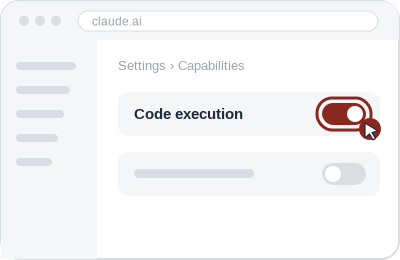
1In Settings, then Capabilities, turn on code execution.
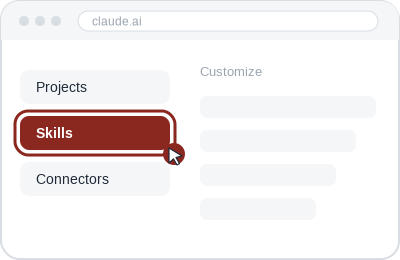
2Open Customize, then Skills.
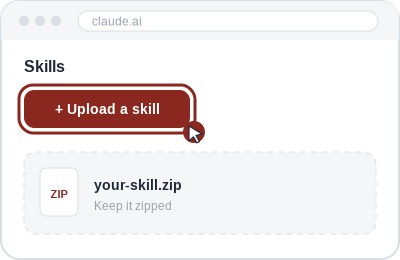
3Click +, choose Upload a skill, pick the ZIP. Keep it zipped.
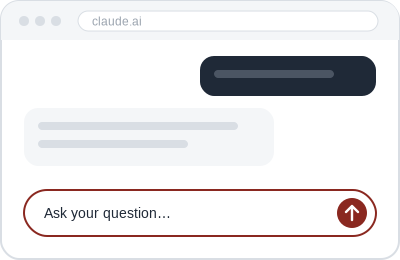
4Start a new chat and ask. Claude picks up the skill.
Works on every Claude plan, including the free one. Free plans have lower usage limits.
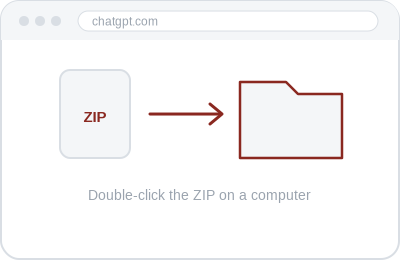
1On a computer, unzip the download and find ANY-AI-PASTE-VERSION.txt.
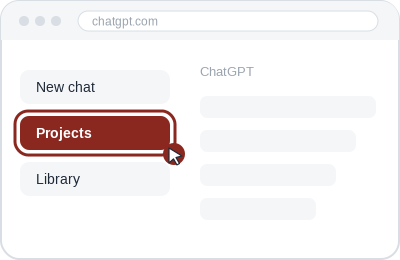
2In ChatGPT, open Projects and make a new project.
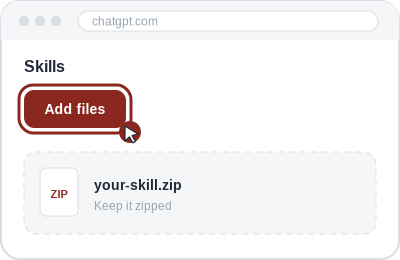
3Add the .txt file to the project. In its instructions, type: Follow the attached file.
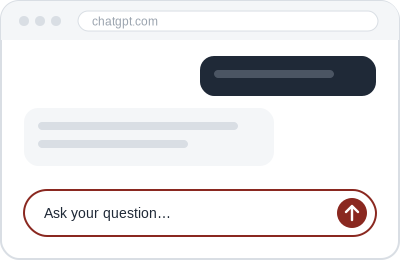
4Start a chat in that project and ask. On a Business, Enterprise or Edu plan, you can upload the ZIP under Skills instead.
Personal ChatGPT plans (Free, Plus, Pro) don't have a Skills page yet, so you use the paste-in version in a Project. On a Business, Enterprise or Edu plan, go to chatgpt.com/skills, choose Add, then Upload from your computer.
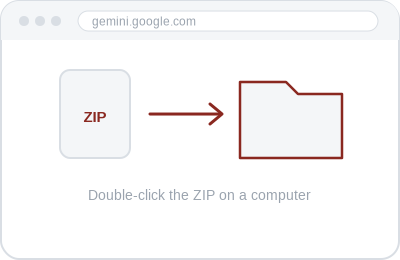
1On a computer, unzip the download. You get a folder.
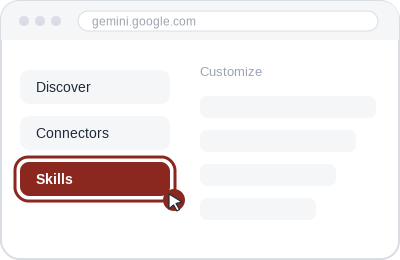
2At gemini.google.com, open Customize, then Skills.
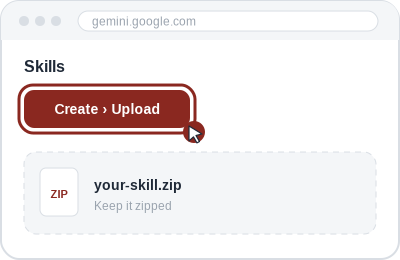
3Choose Create, then Upload, then folder. Pick the unzipped folder.
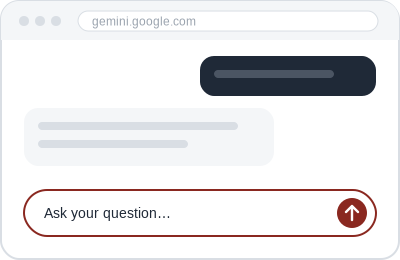
4Start a new chat and ask.
Gemini takes the unzipped folder, not the ZIP. Menus in Gemini change often, so names may differ slightly.
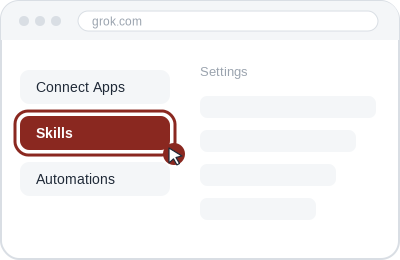
1At grok.com, open Settings, then Skills.
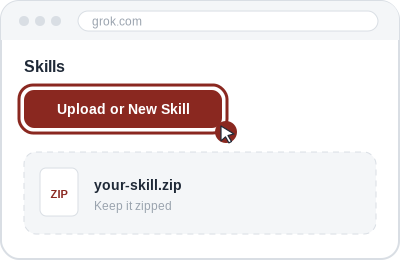
2If you see Upload, pick the ZIP. If you only see New Skill, use the next step.
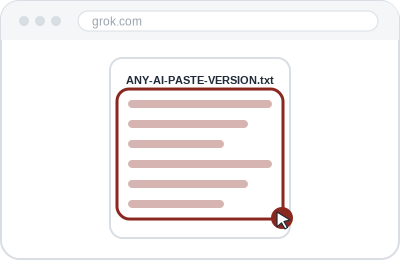
3New Skill: name it, then paste the text of ANY-AI-PASTE-VERSION.txt (below the line of equals signs) into Instructions.
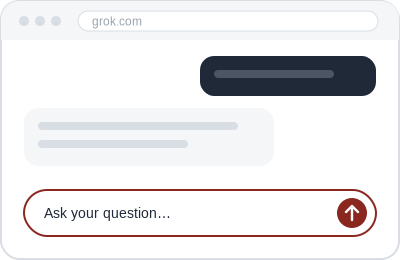
4Save it, start a new chat and ask.
Some Grok plans upload the ZIP; others show a New Skill form, where you paste the skill text in. Menus in Grok change often, so names may differ slightly.
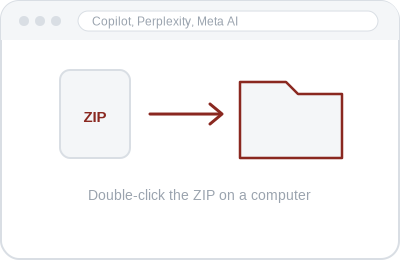
1No Skills page? Unzip the download on a computer.
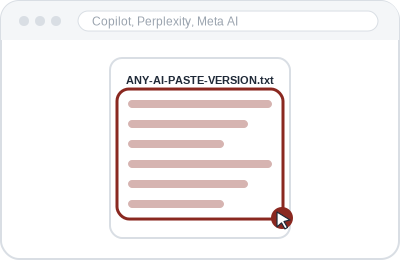
2Open ANY-AI-PASTE-VERSION.txt and copy everything.
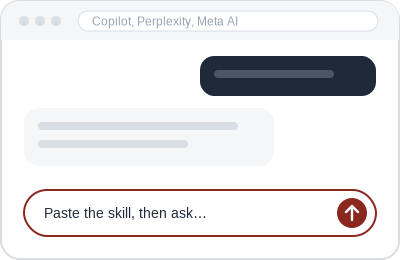
3Paste it into a new chat, then ask your question.
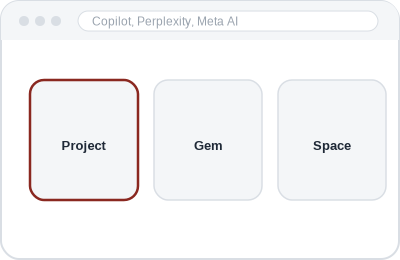
4To keep it on, add it to a ChatGPT Project, Gemini Gem or Perplexity Space.
Using Claude Code, Codex, Cursor or another coding agent? Unzip it into the skills folder, for example unzip cubby-board-provider-assistant.zip -d ~/.claude/skills/
On your phone? Go ahead and buy: the download link goes to your email and works for a year. Adding a skill is easiest from a computer, in a web browser or the desktop app, so open that email there when you're ready. Want to try it on your phone today? Open the ZIP, copy ANY-AI-PASTE-VERSION.txt into any chat app, and ask.
Start with the free Day Plan
A small skill that builds a daily schedule for your mix of ages: arrivals, meals, naps, outdoor time, activities and pickup.
- Fits infants, toddlers and preschoolers together
- Meals, naps and outdoor time
- A version to share with parents
Get Cubby Board Provider Assistant
Pay once, use it every day and every enrollment. No subscription. Includes the free Day Plan too.
How to add it
Upload the ZIP under Skills in Claude, or the unzipped folder in Gemini (in Grok, upload the ZIP or paste the paste-in file into a new skill; in ChatGPT, add it to a Project), then start a new chat and try: "I run a licensed home daycare in Ohio with 6 children, ages 1 to 4. Write my parent handbook sections on hours, tuition, illness and late pickup. I charge $210 a week."
See the clicks for your app. Every download also comes with a paste-in version for any other chat, and a Start Here PDF.
Step-by-step guides with pictures: Claude · ChatGPT · Gemini · Grok
Cubby Board Provider Assistant
Licensing questions, handbook, schedules, tuition, parent messages and incident notes.
$12 one time
- Ratio and licensing questions to take to your agency
- Parent handbook and policies
- Daily schedules for mixed ages
- Tuition and income planning
- Parent messages for every situation
- Incident and injury notes, with reporting reminders
- Updates for a year
Card, Apple Pay or Google Pay through Stripe. Taxes calculated at checkout. 14-day refund.
Giving it as a gift? Buy it, forward the email, and print a gift card.
See a real answer from the full skill
You ask: A toddler bit another child twice today. Write the incident note and a message to both parents.
Incident note (for your file and the bitten child's parent)
Date and time: [date], 10:15 am and 2:40 pm. During free play, [child] was bitten on the upper arm by another child. The skin was not broken. I separated the children, washed the area with soap and water and applied a cold pack. [Child] was comforted and returned to play. Provider: [name]. Parent signature: ____.
Message to the bitten child's parent
Hi Maria, I want to let you know Leo was bitten on the arm twice today during play. The skin wasn't broken; I washed it and used a cold pack, and he was back playing within minutes. I'm shadowing the other child closely. The incident note is in his cubby to sign.
Message to the biting child's parent
Hi James, Ava bit a friend twice today. Biting is common at her age, often from teething or frustration. Here's what I'm doing, and I'd love to hear what you see at home.
Never share the other child's name. Check whether your state requires you to report injuries to licensing.
New to AI skills?
Cubby Board is a skill: a set of expert instructions you add to your own Claude, ChatGPT, Gemini or Grok account, so it answers like a experienced family child care provider who knows the craft.
- Using Gemini? Unzip it and upload the folder on its Skills page. Using Grok? Under Settings, Skills, upload the ZIP or paste the paste-in file into a new skill. Using ChatGPT? Add the included paste-in file to a Project.
- New to all of them? Claude is an AI assistant made by Anthropic. Make an account at claude.ai: skills work on every Claude plan, including the free one, with code execution turned on in Settings, Capabilities.
- Try the free Day Plan skill first. If you like it, the full skill is one purchase.
Not ready for an AI app? The free home daycare tuition calculator on this site works in any browser, no account needed.
Free home daycare tools
No sign-up, they run in your browser.
Made by Nic Hubert, What If Labs
I run What If Labs from British Columbia, Canada. I build each skill with AI help and test it on real questions, and a separate reviewer checks it before it goes on sale. If it doesn't do what this page says, email me at hello@whatiflabs.ai and I'll fix it or refund you.
No reviews yet: this store is new. Tell me how it went and I'll use it to make the skill better.
Questions
Does it know my state's ratios?
Rules differ by state and license type and change from time to time. It explains how ratios usually work and tells you what to confirm with your state child care licensing agency. Your agency's current rules always win.
Can it write an abuse or neglect report?
No. If you suspect abuse or neglect, you call your state's hotline or follow your state's mandated reporter process yourself. It can remind you of that, but it never drafts anything in place of a required report.
Is it only for licensed providers?
It's built for licensed and registered family child care homes and small group homes, and helps people getting licensed. In-home nannies may find the parent messages and schedules useful too.
Can my assistant use it?
One purchase is for one person. Email us for a center or co-op license.
What do I need to use it?
A Claude, ChatGPT, Gemini or Grok account. In Claude it works on any plan, including the free one, with code execution turned on (Settings, Capabilities). Free accounts have lower usage limits, so long planning sessions go further on a paid plan. It works in Claude on the web, the desktop app and Claude Code. In Gemini and Grok, upload it on the Skills page. In ChatGPT, personal plans (Free, Plus, Pro) don't have Skills yet, so you add the included paste-in file to a ChatGPT Project; Business, Enterprise and Edu plans can upload the ZIP under Skills. Coding agents that read SKILL.md files work too. Using Copilot, Perplexity, Meta AI or another chat with no Skills page? Every download includes a paste-in version (ANY-AI-PASTE-VERSION.txt) that works in any AI chat.
What if it doesn't work for me?
Email hello@whatiflabs.ai within 14 days of buying and we'll refund you in full. No forms, no questions.
How is this different from just asking an AI?
A general AI answer is often vague or skips steps. The skill gives your AI an expert's method: what to ask you first, the checklists and calculations to run, and the mistakes to warn you about. You get consistent, specific answers instead of a different guess each time.
Do I pay every month?
No. It's a one-time price, and updates to the skill are free.
Can I get a refund?
Yes. Every purchase comes with a 14-day refund, no questions asked. Reply to your receipt email and we'll take care of it.
What if it gets something wrong?
It shows its working, so you can check numbers and dates. Tell it what's off and it will correct itself. For anything where a mistake costs money or safety, double-check before you act, as you would with any advice.
Is my information private?
The skill runs inside your own Claude, ChatGPT, Gemini or Grok account, and we never see your chats. When you buy, Stripe handles the payment and we keep your email and order so we can send the download. The terms and privacy page has the details.